Your Own Private Node. Not A Shared VPN.
A dedicated server and static IP that belong to you alone, in 9 countries. Connect every device in one tap with the STOSPN app, or with OpenVPN Connect.
- From $10.00/mo
- 20 devices per node
- Zero-logging policy
- Card, Apple Pay, Google Pay & crypto
Your connection is exposed
Free 3-day trial · shared server · 1 device
See How Your Own Node Works
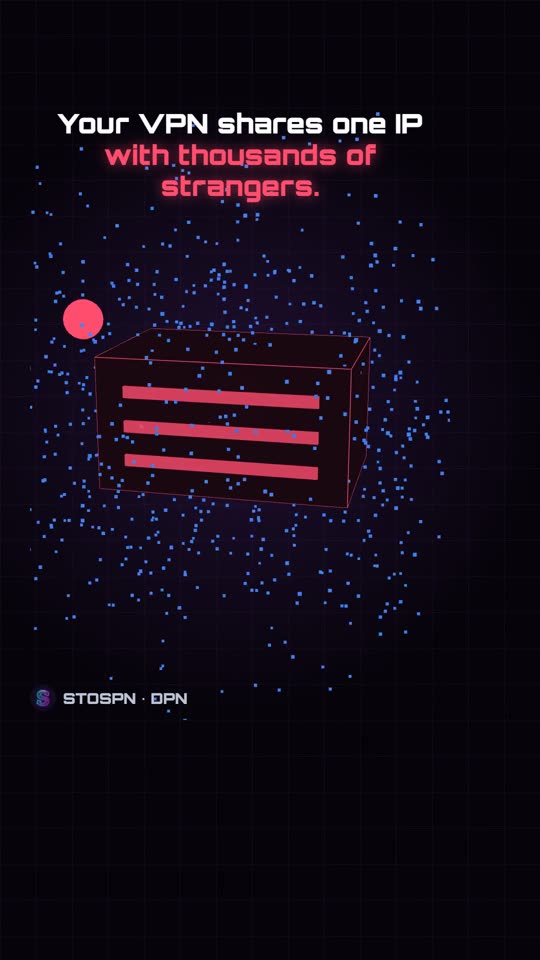
A shared VPN puts you behind one IP with thousands of strangers. A STOSPN DPN gives you a server and IP that are yours alone. Watch the difference in about a minute.
- Your own dedicated server and static IP
- 9 countries, ready in 5-15 minutes
- One tap with the STOSPN app, or OpenVPN Connect
Pick Your Location
Every node is a dedicated server with its own static IP, AES-256-GCM encryption, a private ad & malware filter, a free @stospn.com sub-domain and every protection below included. Longer plans cost less per month.
15 Protection Services. Zero Extra Cost.
Every plan, every location. Nothing to switch on, nothing to pay extra.
Static IP AddressFREE
A fixed IP assigned to your node only.
AES-256-GCM EncryptionFREE
The same encryption used by banks and the top VPNs, with SHA-384 packet authentication.
Ad, Tracker & Malware FilterFREE
Blocks over a million ad, tracker, malware and phishing domains on your own node. Turn ad blocking on or off in My Account.
Anti-DDoSFREE
Server-level scrubbing against volumetric floods, 24/7.
Private TrafficFREE
Traffic between your devices and your node is encrypted, so the local network cannot read it.
Choice of CountryFREE
Run your node in one of 9 countries and get a fixed address there.
Firewalled & ShieldedFREE
A firewall on every node drops everything except your DPN connection and maintenance access.
ECDSA P-384 CertificatesFREE
Your own certificate authority on your node, with 384-bit elliptic-curve keys.
Stealth Handshake (tls-crypt-v2)FREE
Even the connection setup is encrypted, so port scanners cannot see your node.
Free Sub-DomainFREE
Your node gets its own name under stospn.com, for example uk-1052.stospn.com.
Speed Tuning (BBR)FREE
BBR congestion control, fair queueing and larger buffers for steadier, faster connections and downloads.
Anti-Attacks & HackingFREE
Hardened system barriers against unauthorized access.
Anti-Brute ForceFREE
fail2ban bans addresses that keep guessing passwords on your server.
Home Connection PrivacyFREE
Websites see the static IP of your node, so your home connection stays private.
Anti-Real IP RevealingFREE
All traffic and DNS go through your node, with DNS-leak protection on Windows too.
Anti-Spyware & PhishingFREE
Known malware, spyware and phishing domains are blocked before anything loads.
Port 443 / TCPFREE
Runs on the standard HTTPS port, so it works on most networks.
Free UpdatesFREE
Security patches, kernel updates and tuning at no extra cost.
Why A Dedicated Node?
Shared VPNs put thousands of strangers on the same server and IP. A DPN gives you your own.
| Feature | STOSPN DPN | Shared VPN |
|---|---|---|
| IP address | Static, yours alone | Shared, changes often |
| Server | Dedicated 4 vCPU / 8 GB | Shared with thousands |
| Whitelisting (AWS, Azure, banks, work) | Whitelist-ready | Not possible on a shared IP |
| IP reputation | Clean, used only by you | Shared with strangers |
| Speed at peak hours | Consistent, up to 10 Gbps uplink | Slows down with load |
| Ad, tracker & malware DNS filter | Included on your own node, and you switch it on or off | Often a paid add-on, on shared DNS |
| Encryption | AES-256-GCM, P-384 & tls-crypt-v2 on your own server | Strong encryption, but on servers shared with thousands |
| Client software | Open-source OpenVPN or the STOSPN app | Usually a closed, proprietary app |
Connect Your Way
One STOSPN login works everywhere: the website, the STOSPN app and OpenVPN Connect.
STOSPN App
One tap. No files, no URLs. Order, renew and connect in one place.
- Install the app and sign in.
- Pick your node under YOUR PROFILES.
- Tap Connect.
URL Import
OpenVPN Connect on iPhone, iPad, Android, Windows and macOS.
- Choose URL and enter
stospn.com - Sign in with your STOSPN login.
- Several nodes? Use
username#order
.ovpn Profile
Download your profile and import it into any OpenVPN client.
- Open My Account → Orders.
- Download your .ovpn profile.
- Import it and connect.
Your Router
Protect the whole home network, including smart TVs and IoT devices.
- OpenWrt, DD-WRT or stock OpenVPN firmware.
- Upload your .ovpn profile.
- Every device is covered.
Questions, Answered
A DPN gives you a private node and IP address assigned to your account only. Shared commercial VPNs mix your traffic with thousands of strangers on the same IP.
The STOSPN DPN app is the fastest way to connect. Your nodes, profiles, orders and account live in one place, and you connect with one tap. A status badge shows CONNECTED, your dedicated IP, the server location and live traffic.
Available for Windows, macOS, Android and Linux (Ubuntu, Debian, Mint, Pop!_OS). iPhone & iPad are coming soon, so use OpenVPN Connect with URL import for now.
- Install the app and sign in with your STOSPN account, Google or Microsoft.
- On the Home screen, under No DPN node yet, start the free trial.
- Choose a location: the United Kingdom, France, Germany, Poland, Italy, Canada, Singapore or Australia.
- Under YOUR PROFILES, tap Connect.
The trial runs on a shared trial server for 3 days on one device, once per account, with no payment details. Premium nodes give you your own dedicated server and static IP.
- Open the Nodes tab in the app, or choose a node on this page.
- Pick a 1, 3, 6 or 12-month plan.
- Pay by card, Apple Pay, Google Pay or crypto.
- Your node is set up automatically, usually within 5–15 minutes. You'll get an email when it's ready.
- Install the official OpenVPN Connect app.
- On Get connected, choose URL and enter stospn.com.
- Sign in with your STOSPN username (or email) and password.
- Turn on Import autologin profile and Connect after import, then tap Import.
Works on iPhone, iPad, Android, Windows and macOS. On Linux, use the STOSPN app.
Signing in with just your username imports your newest active node. To import a specific node, add # and its order number to your username, for example yourname#1052. Order numbers are in the app's Orders tab. Repeat with each order number to add every node to the same device.
Yes. Download your .ovpn profile from My Account → Orders, choose Upload File in OpenVPN Connect, import the profile and connect.
Yes. Every node supports up to 20 devices at the same time. Install the STOSPN app on each device and sign in with the same account, or import your profile into OpenVPN Connect on each device.
On Android and iOS, turn on reconnect-on-boot and on-demand options. On Windows and macOS, set OpenVPN Connect's Launch Option to start with your system.
Yes. Any router with OpenVPN support, in its stock firmware or with OpenWrt or DD-WRT, can route your whole home network through your node.
One login works everywhere: stospn.com, the STOSPN app and OpenVPN Connect. To change it, open the app's Account tab and use Password change. Signed up with Google or Microsoft? You can set a password there without a current one.
Forgot your password? Use Lost your password? on the sign-in page.
Card, Apple Pay and Google Pay (completed in your browser), or crypto by QR code or wallet app.
You get reminder emails before expiry. Renew from the app's Orders tab or My Account → Orders to keep the same server, IP and profile, with nothing to re-import. After a short grace period an unrenewed server is cancelled and its IP released.
In My Account, every node has its own panel: online status, server address and IP, days left, devices connected now and a 30-day traffic chart. From there you can restart your node, get a new profile (a new certificate; the old profile stops working), download your profile to your phone by QR code, and switch ad & tracker blocking on or off.
Connections use OpenVPN with AES-256-GCM encryption, the same standard used by banks and the top VPNs, with ECDSA P-384 certificates, SHA-384 packet authentication and tls-crypt-v2, so even the connection setup is encrypted. It runs on port 443/TCP and is built on open-source OpenSSL/TLS libraries. STOSPN does not log, store or share your browsing activity or network traffic.
Yes. Ad & tracker blocking runs on your own node, and you can switch it off, or back on, with one click in My Account. Your devices may need a few minutes to notice. Malware & phishing protection always stays on.
Yes, this is normal for newer apps. Click More info, then Run anyway. On macOS, right-click the app and choose Open the first time. On macOS and Linux your computer password is requested to create the network connection. It goes to your operating system, never to STOSPN.
OpenVPN Connect shows the message from stospn.com. Most issues are a mistyped URL or password, an expired node, or a wrong order number after #. After 10 wrong passwords, imports pause for 15 minutes.
Get Your Private Node Online In Minutes
Nodes are set up automatically, usually within 5–15 minutes of payment. Not sure yet? Try a shared trial server free for 3 days.